Publishing Overview
Publishing your tent makes it live on the web with a unique URL that you can share with your audience. The publishing process is simple and fast, taking just a few clicks to go from draft to live website.Publishing Process
Initial Publishing
Step 1: Review Your Tent- Ensure all content is accurate and complete
- Test all functionality in preview mode
- Verify mobile responsiveness
- Check form submissions work correctly
- Navigate to your tent editor
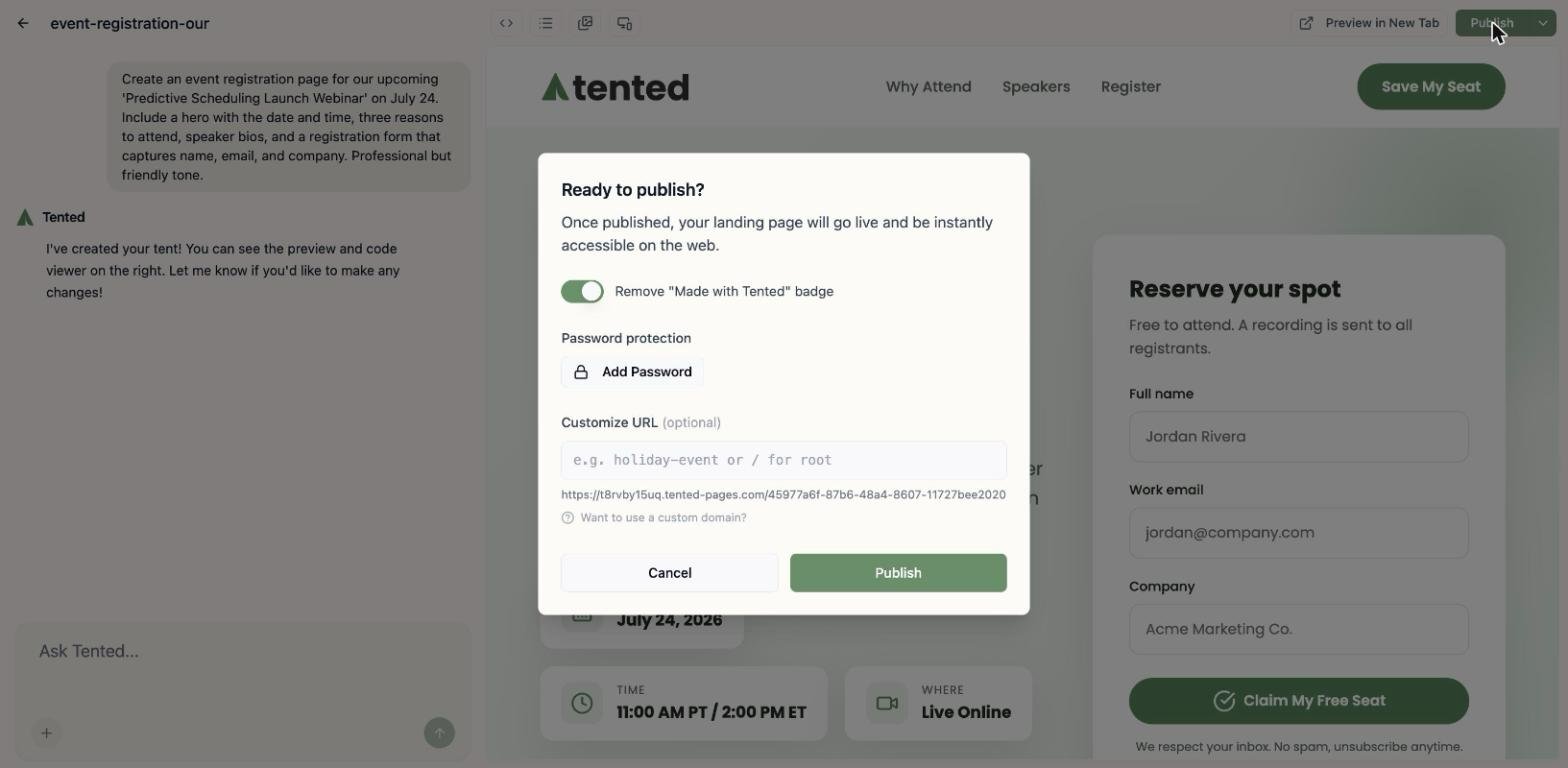
- Click the “Publish” button
- Confirm publishing in the dialog
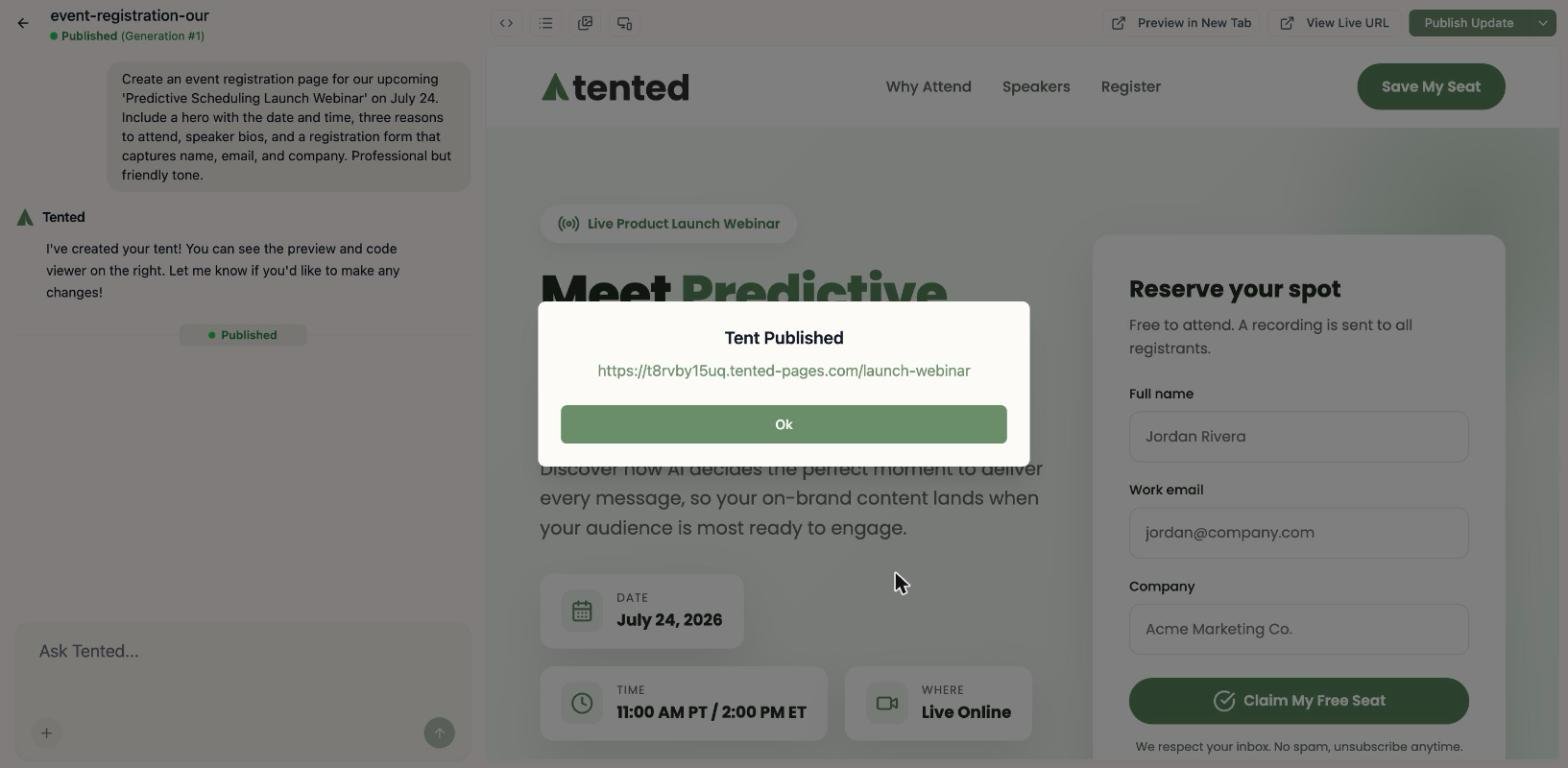
- Wait for the publishing process to complete
- Receive your unique tent URL
- Copy the URL for sharing
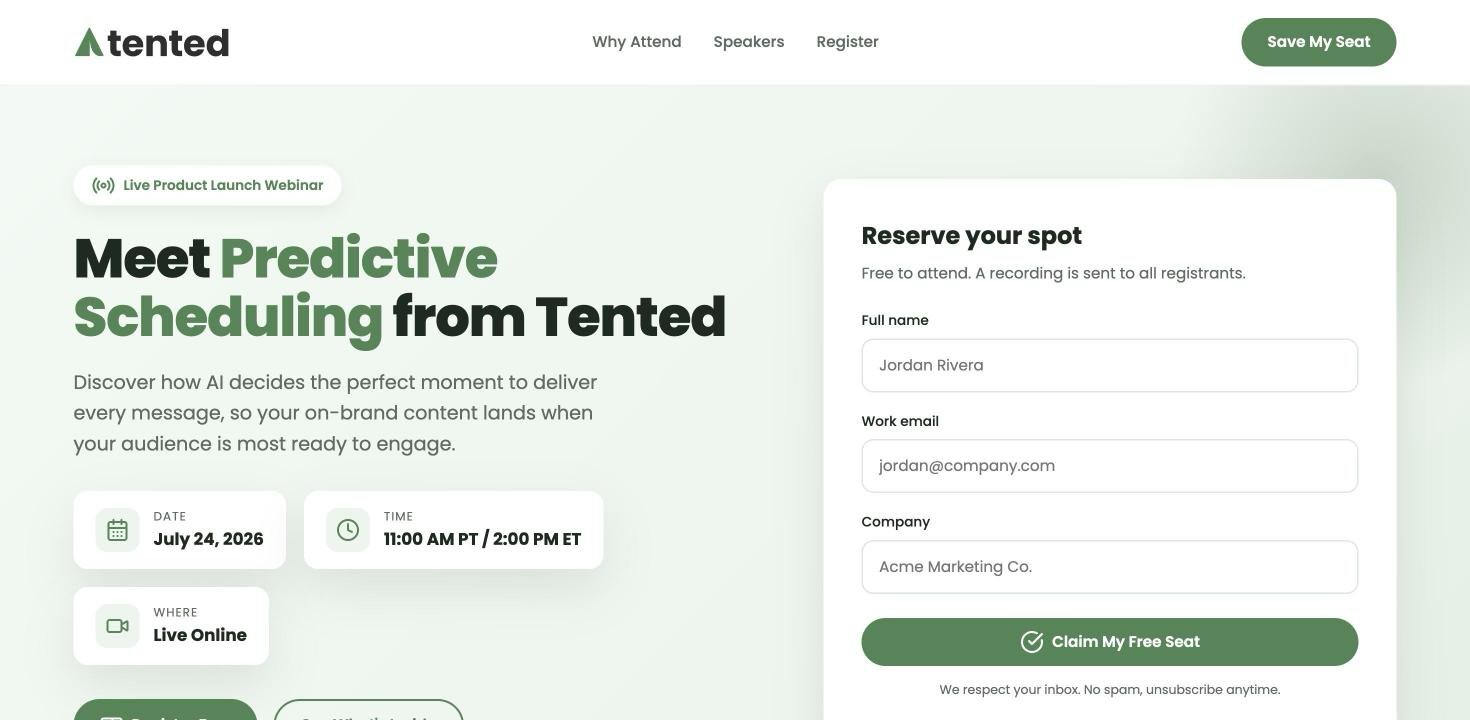
- Test the live site to ensure everything works
- Share with your audience
Publishing Options
Default Domain
Default Domain
Your tent gets a unique URL on the tented.ai domain:
- Format:
https://tented.ai/tent/[unique-id] - SEO-friendly URLs
- SSL certificate included
- Global CDN for fast loading
Custom Subdomain
Custom Subdomain
Use your own subdomain (coming soon):
- Format:
https://yourname.tented.ai/tent/[id] - Branded URL structure
- Easy to remember and share
- Professional appearance
Custom Domain
Custom Domain
Use your own domain with DNS redirects:
- Point your domain to tented.ai
- Maintain your brand identity
- Professional custom URLs
- Full control over domain
Publishing Updates
Updating Published Tents
Making Changes:- Edit your tent using the chat interface
- Preview changes to ensure they look correct
- Click “Publish Update” to push changes live
- Changes go live immediately - no downtime
- All content changes
- Design modifications
- New features or sections
- Bug fixes and improvements
- Your tent URL remains unchanged
- Form submission data is preserved
- Analytics data continues tracking
- SEO rankings are maintained
Version Control
Publishing History:- Track all published versions
- See what changed in each update
- Revert to previous published versions
- Compare different published states
- Quickly revert to previous version
- Emergency rollback for critical issues
- A/B testing different versions
- Gradual rollout of changes
Publishing Best Practices
Pre-Publishing Checklist
Content Review:- All text is accurate and error-free
- Contact information is correct
- Pricing and product details are current
- Legal pages and policies are included
- All forms work correctly
- Links open properly
- Mobile responsiveness is perfect
- Loading speed is acceptable
- Colors match brand guidelines
- Typography is consistent
- Logo placement is correct
- Tone matches brand voice
SEO Optimization
Meta Tags:- Compelling page title
- Descriptive meta description
- Relevant keywords
- Open Graph tags for social sharing
- Proper heading hierarchy
- Semantic HTML elements
- Alt text for images
- Internal linking structure
- Fast loading times
- Mobile-friendly design
- Optimized images
- Clean, semantic code
Domain Management
Custom Domains (DNS Redirects)
Setting Up Custom Domain:- Choose your domain (e.g.,
landing.yourcompany.com) - Add DNS record pointing to tented.ai
- Configure redirect in Tented settings
- Test the redirect to ensure it works
- Add CNAME record:
landing→tented.ai - Or A record pointing to Tented’s IP
- SSL certificate automatically provisioned
- Global CDN ensures fast loading
Subdomain Setup
Using Subdomains:- Create subdomain in your DNS
- Point to Tented’s servers
- Maintain brand identity
- Professional appearance
- Branded URL structure
- Easy to remember
- Professional appearance
- SEO benefits
Publishing Analytics
Performance Tracking
Built-in Analytics:- Page views and unique visitors
- Conversion rates and form submissions
- Traffic sources and referrers
- Geographic distribution
- Live visitor tracking
- Form submission alerts
- Performance metrics
- Error monitoring
Conversion Tracking
Form Submissions:- Track all form submissions
- Export contact data
- Monitor conversion rates
- Set up email notifications
- Define conversion goals
- Track progress over time
- A/B test different versions
- Optimize for better results
Troubleshooting Publishing
Common Issues
Publishing Failures:- Check internet connection
- Verify tent is complete
- Ensure no errors in code
- Try publishing again
- Verify DNS settings
- Check redirect configuration
- Test URL accessibility
- Contact support if needed
- Optimize images and assets
- Check for code errors
- Monitor loading times
- Use browser dev tools
Getting Help
Support Resources:- Check documentation
- Contact support team
- Use community forums
- Submit bug reports
- Quick rollback to previous version
- Emergency unpublish option
- Support escalation process
- Status page for outages
Advanced Publishing Features
Scheduled Publishing
Future Publishing:- Schedule tent to go live at specific time
- Coordinate with marketing campaigns
- Prepare multiple versions
- Automated publishing workflow
- Multiple tent versions
- A/B testing capabilities
- Gradual rollout options
- Performance comparison
Multi-Language Support
International Publishing:- Create versions in different languages
- Localized content and imagery
- Regional domain options
- Cultural adaptation
- Hreflang tags
- Localized meta descriptions
- Regional keyword optimization
- Cultural content adaptation
Next: Viewing Form Submissions
Learn how to view, manage, and export form submission data.