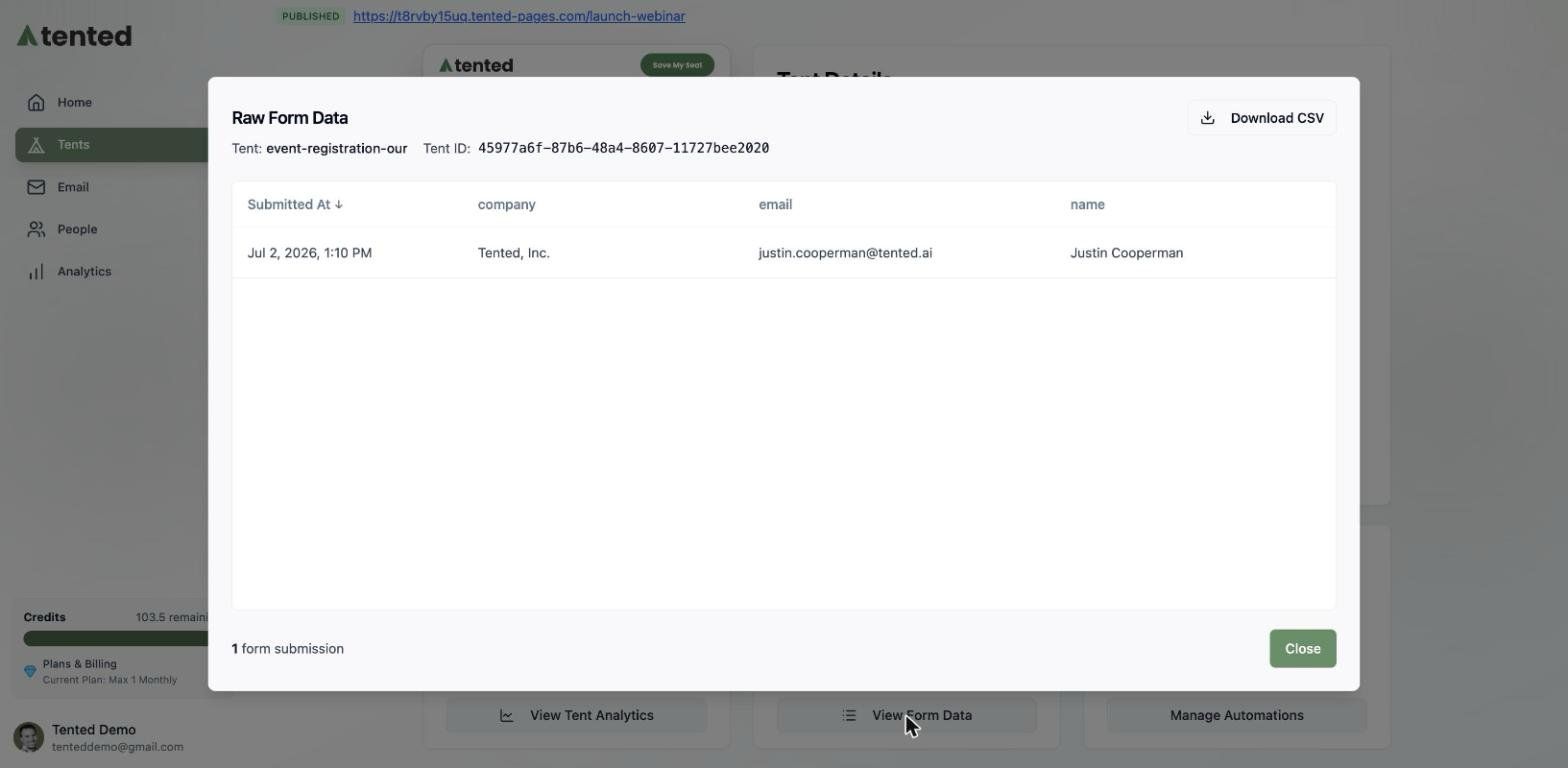
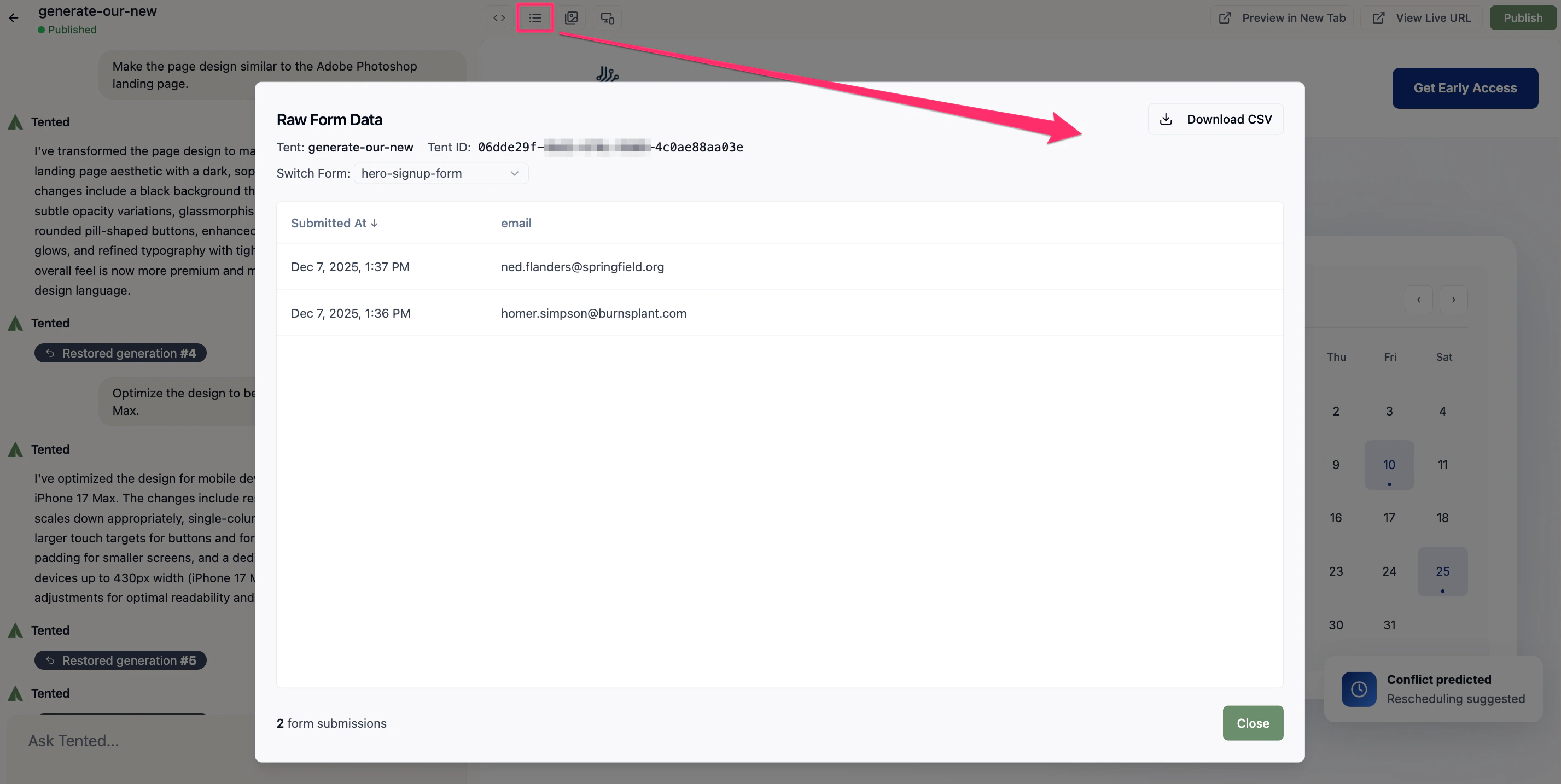
Form Submissions Overview

Every tent with forms automatically captures and stores submission data. You can view, manage, and export this data to track leads, analyze conversion rates, and follow up with potential customers.

Accessing Form Submissions

From Tent Details

Quick Access:
  1. Navigate to your tent’s details page
  2. Click on the “Submissions” tab
  3. View all form submissions for this tent
  4. See submission count and recent activity
From Tent Editor:
  1. Open the tent editor
  2. Look for the submissions panel
  3. Click to view submission details
  4. Access export and management options

Submission Dashboard

Overview Information:
  • Total submission count
  • Recent submissions (last 24 hours)
  • Conversion rate percentage
  • Average submissions per day
Quick Actions:
  • Export all submissions
  • Filter by date range
  • Search through submissions
  • Mark submissions as read/unread

Submission Details

Individual Submission View

Contact Information:
  • Name and email address
  • Phone number (if collected)
  • Company information
  • Additional custom fields
Submission Metadata:
  • Date and time submitted
  • IP address and location
  • User agent (browser/device)
  • Referrer URL (if available)
Form-Specific Data:
  • Which form was submitted
  • All form field responses
  • File uploads (if any)
  • Custom field data

Multiple Forms Support

Form Identification:
  • Each form has a unique ID
  • Clear labeling of which form was submitted
  • Separate tracking for different forms
  • Individual form analytics
Form Comparison:
  • Compare submission rates between forms
  • Analyze which forms perform better
  • Track conversion funnels
  • Optimize form placement and design

Data Management

Exporting Submissions

Export Formats:
  • CSV: Spreadsheet format for Excel/Google Sheets
  • JSON: Structured data for developers
  • PDF: Formatted reports for sharing
  • Excel: Advanced spreadsheet with formatting
Export Options:
  • Export all submissions
  • Filter by date range
  • Export specific forms only
  • Include/exclude certain fields
Scheduled Exports:
  • Set up automatic exports
  • Email reports regularly
  • Integrate with CRM systems
  • Automated data backup
Filter Options:
  • Date range selection
  • Form type filtering
  • Submission status (new, contacted, converted)
  • Custom field filtering
Search Functionality:
  • Search by name or email
  • Find specific companies
  • Search submission content
  • Advanced search operators
Sorting Options:
  • Sort by submission date
  • Sort by contact name
  • Sort by company
  • Custom sorting criteria

Analytics and Insights

Conversion Tracking

Submission Metrics:
  • Total submissions received
  • Submission rate (visitors to submissions)
  • Conversion trends over time
  • Peak submission times
Form Performance:
  • Which forms get most submissions
  • Form completion rates
  • Drop-off points in forms
  • Field-level analytics
Traffic Analysis:
  • Traffic sources driving submissions
  • Geographic distribution
  • Device and browser breakdown
  • Referrer analysis

Reporting Features

Visual Reports:
  • Submission trends over time
  • Conversion rate charts
  • Geographic heat maps
  • Form performance comparisons
Custom Reports:
  • Create custom date ranges
  • Compare different time periods
  • Export report data
  • Schedule regular reports

Integration Options

CRM Integration

Popular CRM Systems:
  • Salesforce integration
  • HubSpot connection
  • Pipedrive synchronization
  • Custom API integration
Data Synchronization:
  • Automatic lead creation
  • Contact information updates
  • Custom field mapping
  • Real-time data sync

Email Marketing

Email Platform Integration:
  • Mailchimp list updates
  • Constant Contact sync
  • AWeber integration
  • Custom email systems
Automated Workflows:
  • Welcome email sequences
  • Follow-up campaigns
  • Lead nurturing sequences
  • Conversion tracking

Webhook Support

Real-Time Notifications:
  • Instant submission alerts
  • Custom webhook endpoints
  • Data processing pipelines
  • Third-party integrations
Custom Integrations:
  • Zapier connections
  • Custom API endpoints
  • Database integrations
  • Business logic automation

Privacy and Security

Data Protection

Security Measures:
  • Encrypted data transmission
  • Secure data storage
  • Access control and permissions
  • Regular security audits
Privacy Compliance:
  • GDPR compliance features
  • Data retention policies
  • User consent tracking
  • Right to deletion

Access Control

User Permissions:
  • Admin access to all submissions
  • Limited access for team members
  • Read-only access for stakeholders
  • Custom permission levels
Audit Trail:
  • Track who accessed submissions
  • Log data exports and downloads
  • Monitor permission changes
  • Security event logging

Best Practices

Data Management

Regular Cleanup:
  • Archive old submissions
  • Remove duplicate entries
  • Update contact information
  • Maintain data quality
Data Quality:
  • Validate email addresses
  • Standardize company names
  • Clean phone number formats
  • Verify contact information

Lead Follow-Up

Response Time:
  • Respond to leads quickly
  • Set up automated acknowledgments
  • Track response times
  • Monitor follow-up success
Lead Scoring:
  • Score leads based on criteria
  • Prioritize high-value prospects
  • Track lead progression
  • Optimize conversion processes

Analytics Optimization

Regular Analysis:
  • Review submission trends weekly
  • Analyze conversion rates monthly
  • Track seasonal patterns
  • Monitor campaign effectiveness
Continuous Improvement:
  • A/B test different forms
  • Optimize form fields
  • Improve conversion rates
  • Enhance user experience

Troubleshooting

Common Issues

Missing Submissions:
  • Check form configuration
  • Verify form action URLs
  • Test form functionality
  • Check spam filters
Export Problems:
  • Verify data permissions
  • Check export format compatibility
  • Ensure sufficient storage space
  • Contact support if needed
Integration Issues:
  • Verify API credentials
  • Check webhook endpoints
  • Test data synchronization
  • Review error logs

Getting Help

Support Resources:
  • Documentation and guides
  • Community forums
  • Support ticket system
  • Live chat support
Technical Support:
  • API documentation
  • Integration guides
  • Troubleshooting guides
  • Developer resources

Next: Managing Tents

Learn how to rename, delete, clone, and manage your tents.