Preview Overview

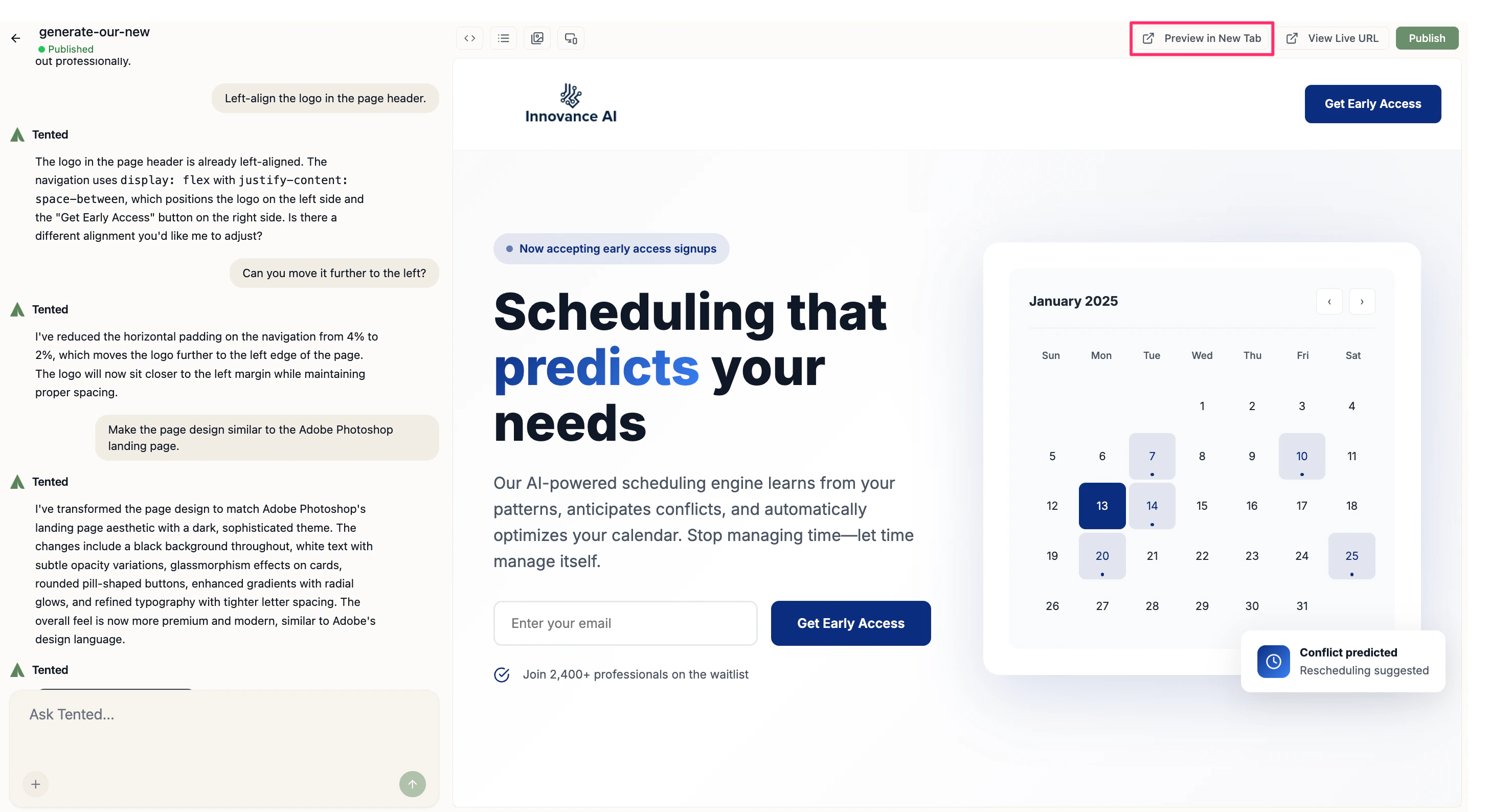
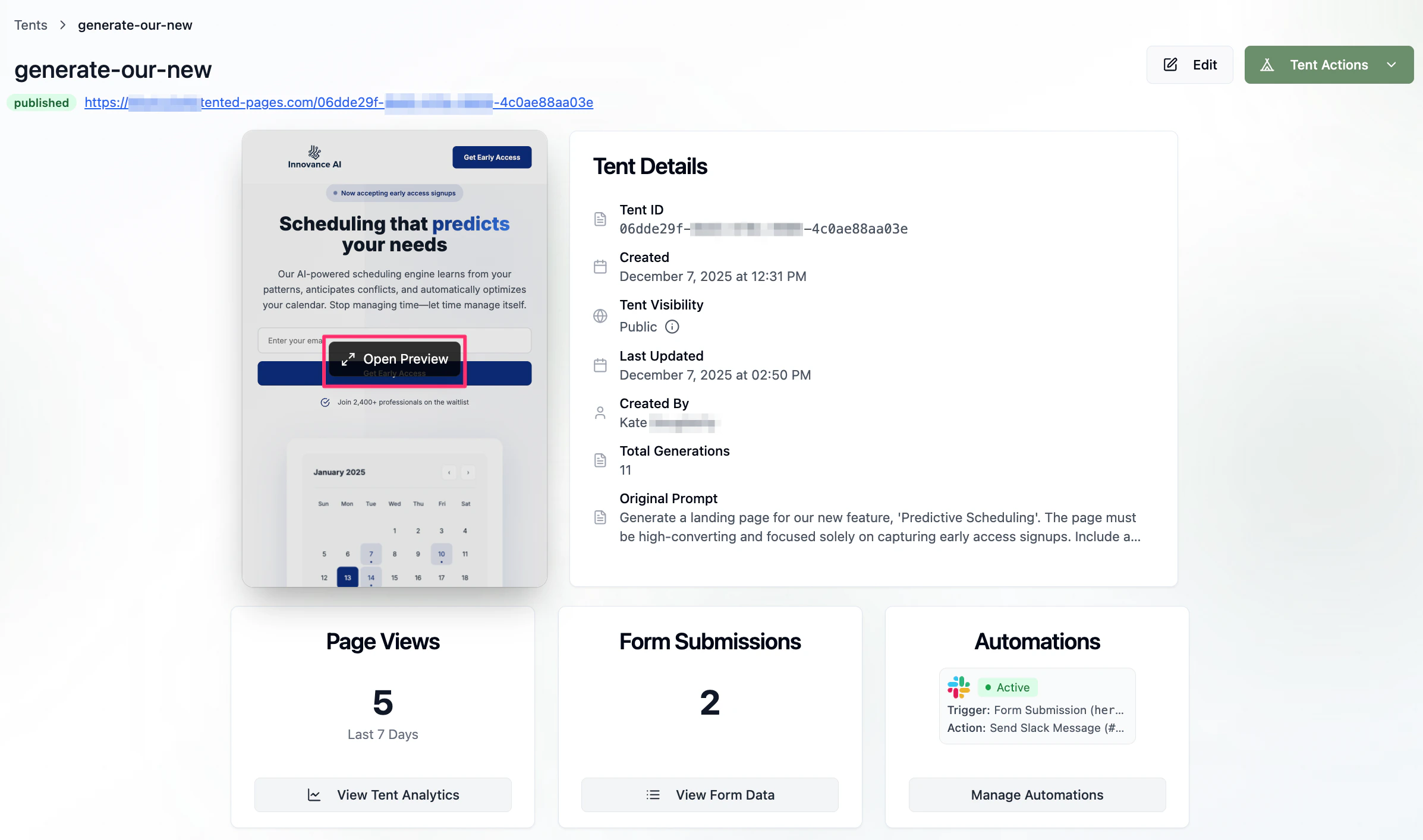
Previewing your tent is a crucial step before publishing. Tented’s preview system allows you to test your landing page across different devices, verify functionality, and ensure everything works perfectly before going live.

Preview Interface

Device Testing

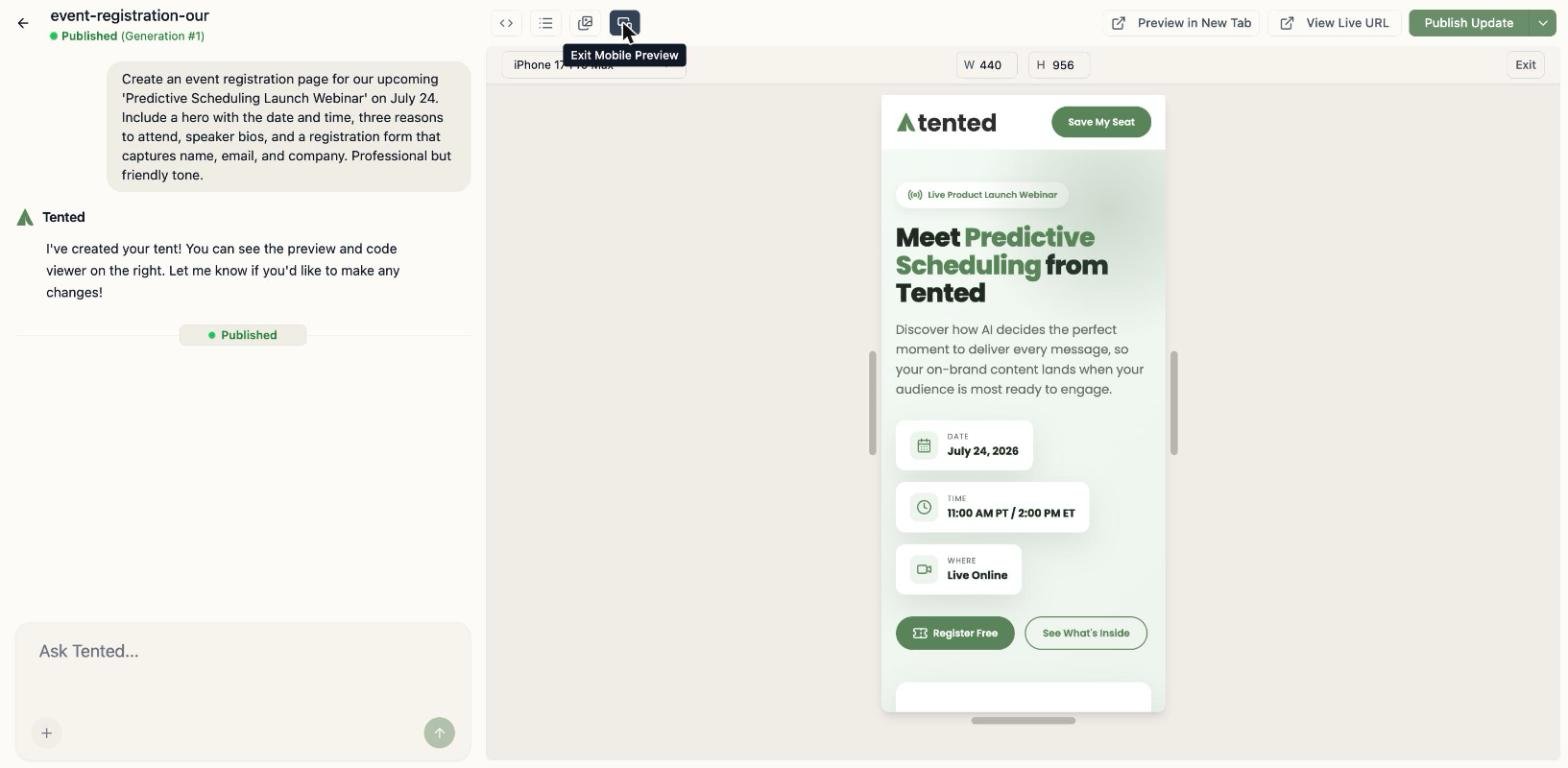
Responsive Preview:
  • Mobile: iPhone and Android screen sizes
  • Tablet: iPad and Android tablet dimensions
  • Desktop: Various screen resolutions
  • Custom: Set specific dimensions for testing
Device Switching:
  • Toggle between device views instantly
  • See how your tent adapts to different screens
  • Test touch interactions on mobile views
  • Verify hover effects on desktop

Interactive Testing

Form Functionality:
  • Submit test data to all forms
  • Verify form validation works correctly
  • Test submission handling and responses
  • Check error messaging and success states
Navigation Testing:
  • Click through all links and buttons
  • Test smooth scrolling to sections
  • Verify anchor links work properly
  • Check external link behavior
Interactive Elements:
  • Test hover effects and animations
  • Verify mobile menu functionality
  • Check dropdown menus and modals
  • Test all JavaScript interactions

Preview Features

Real-Time Updates

Live Editing Preview:
  • See changes instantly as you make them
  • No need to refresh or reload
  • Maintain scroll position during edits
  • Preserve form data during updates
Chat Integration:
  • Preview updates automatically with chat edits
  • Visual feedback for code changes
  • Immediate validation of modifications
  • Error highlighting for issues

Performance Testing

Loading Speed:
  • Monitor page load times
  • Check image optimization
  • Verify asset compression
  • Test on slower connections
Mobile Performance:
  • Test touch responsiveness
  • Check scrolling smoothness
  • Verify tap target sizes
  • Test orientation changes

Preview Best Practices

Comprehensive Testing

Cross-Device Testing:
  1. Start with Mobile: Test mobile-first approach
  2. Check Tablet: Verify tablet-specific layouts
  3. Test Desktop: Ensure desktop experience is optimal
  4. Custom Sizes: Test edge cases and unusual dimensions
Functionality Checklist:
  • All forms submit correctly
  • Links work and open properly
  • Images load and display correctly
  • Animations run smoothly
  • Mobile menu functions properly
  • Contact information is accurate
  • Call-to-action buttons are prominent

Content Review

Text and Copy:
  • Check for typos and grammatical errors
  • Verify all contact information is correct
  • Ensure pricing and product details are accurate
  • Review call-to-action messaging
Visual Elements:
  • Verify image quality and sizing
  • Check color contrast and readability
  • Ensure brand consistency throughout
  • Test logo placement and sizing
User Experience:
  • Evaluate page flow and navigation
  • Check loading times and performance
  • Verify accessibility features
  • Test with different user scenarios

Advanced Preview Options

Full-Screen Preview

Immersive Testing:
  • Full-screen preview for realistic testing
  • Hide editor interface for focus
  • Test actual user experience
  • Verify visual hierarchy and flow
Presentation Mode:
  • Present to stakeholders or clients
  • Demonstrate functionality clearly
  • Show responsive behavior
  • Highlight key features

Share Preview

Collaborative Review:
  • Generate shareable preview links
  • Share with team members or clients
  • Collect feedback before publishing
  • Test with external users
Feedback Collection:
  • Gather input from different perspectives
  • Test with target audience
  • Validate design decisions
  • Refine based on feedback

Mobile-Specific Testing

Touch Interactions

Tap Targets:
  • Ensure buttons are large enough for fingers
  • Check spacing between interactive elements
  • Verify touch feedback and responses
  • Test gesture-based interactions
Scrolling Behavior:
  • Test smooth scrolling performance
  • Check for scroll conflicts or issues
  • Verify sticky elements work correctly
  • Test infinite scroll if applicable

Orientation Changes

Portrait to Landscape:
  • Test layout adaptation
  • Verify content remains accessible
  • Check for horizontal scrolling issues
  • Ensure images scale properly
Responsive Breakpoints:
  • Test at different screen widths
  • Verify layout changes work smoothly
  • Check for content overflow issues
  • Ensure readability at all sizes

Performance Optimization

Loading Speed

Image Optimization:
  • Verify images are properly compressed
  • Check for appropriate file formats
  • Ensure lazy loading works correctly
  • Test on slow connections
Code Efficiency:
  • Monitor JavaScript performance
  • Check for unnecessary animations
  • Verify CSS optimization
  • Test with browser dev tools

Accessibility Testing

Screen Reader Compatibility:
  • Test with screen reader software
  • Verify alt text for images
  • Check heading structure
  • Ensure keyboard navigation works
Color and Contrast:
  • Test color contrast ratios
  • Verify readability for colorblind users
  • Check focus indicators
  • Ensure sufficient color differentiation

Troubleshooting Preview Issues

Common Problems

Layout Issues:
  • Check CSS for conflicts
  • Verify responsive breakpoints
  • Test with different content lengths
  • Ensure proper fallbacks
Functionality Problems:
  • Check JavaScript console for errors
  • Verify form action URLs
  • Test external dependencies
  • Check browser compatibility
Performance Issues:
  • Optimize large images
  • Minimize external requests
  • Check for memory leaks
  • Test on slower devices

Debug Tools

Browser Developer Tools:
  • Use responsive design mode
  • Check network requests
  • Monitor performance metrics
  • Debug JavaScript issues
Tented Debug Features:
  • Preview error highlighting
  • Code validation warnings
  • Performance suggestions
  • Accessibility recommendations

Pre-Publishing Checklist

Final Review

Content Verification:
  • All text is accurate and error-free
  • Contact information is correct
  • Pricing and product details are current
  • Legal pages and policies are included
Technical Verification:
  • All forms work correctly
  • Links open properly
  • Mobile responsiveness is perfect
  • Loading speed is acceptable
Brand Consistency:
  • Colors match brand guidelines
  • Typography is consistent
  • Logo placement is correct
  • Tone matches brand voice

Next: Publishing Tents

Learn how to publish your tent and make it live on the web.